Everyone in Your School. Managed in One Place.
Students, staff, and parents — with detailed profiles, bulk import, and role-based access control built for Schools.
The Challenge & Solution
Most Schools manage student records in Excel, staff lists in WhatsApp groups, and parent contacts in notebooks. Femlify replaces all of that with a unified people management system — searchable, filterable, and directly connected to every other part of the platform.
Complete People Management for Your School
Students, staff, guardians, and access control — all in one unified system
Student Management
Maintain a complete student database with registration IDs, photos, personal information, contact details, state and LGA of origin, and gender. Add students individually or bulk import hundreds from CSV or Excel.
Staff Management
Create staff accounts with email, title, account type, personal details, and phone number. Assign roles to control what each staff member can access. Bulk import staff with the official Excel template.
Guardian & Parent Management
Add parents and guardians with full profiles — photo, full name, occupation, phone, address, and origin. Link each guardian to their child's student record. Supports bulk import via CSV or Excel.
Roles & Permissions
Assign granular permissions to staff through roles. Six built-in default roles — Accountant, Class Teacher, Principal, Registrar, School Administrator, Subject Teacher. Create fully custom roles with any combination of permissions.
Bulk Import
Import large numbers of students, staff, or guardians via CSV, XLSX, or XLS files. Download the official template to ensure correct format. Import Students Only or Import Students with Parents in one operation.
Search & Filter
Search students by name, registration ID, or username. Filter by gender and enrollment date range. Search staff by name or email, filter by gender and status. Search guardians by name and gender.
Engineered to streamline your staff and student management
From role-based access to detailed profiles, discover how easily you can manage your entire school directory.
Student List & Overview
Every student, one searchable list
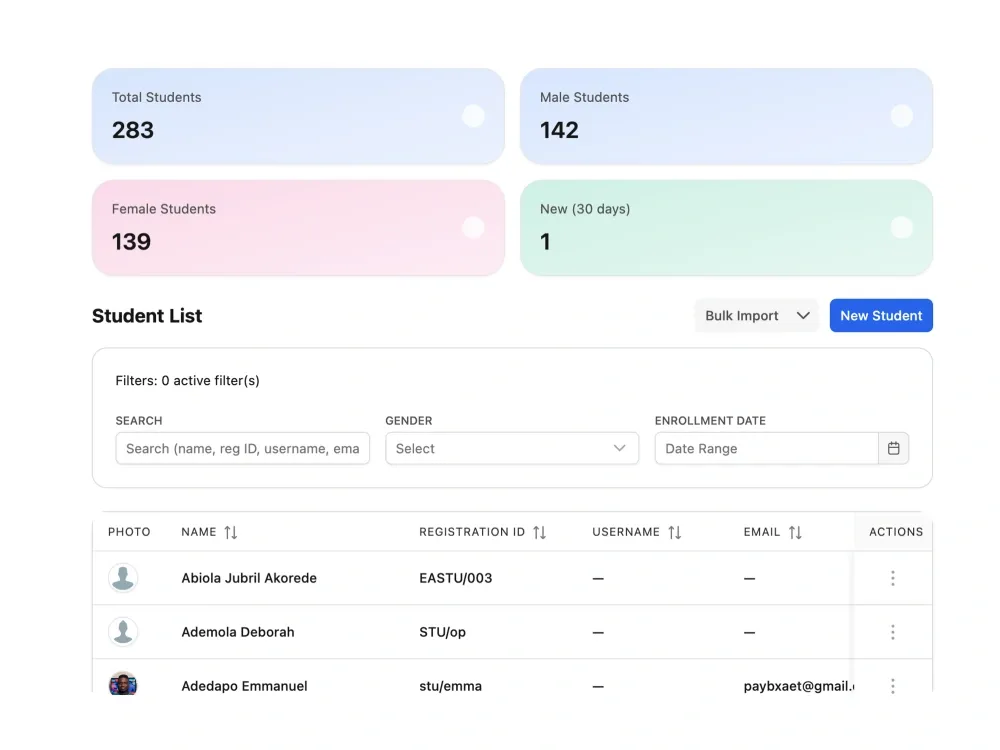
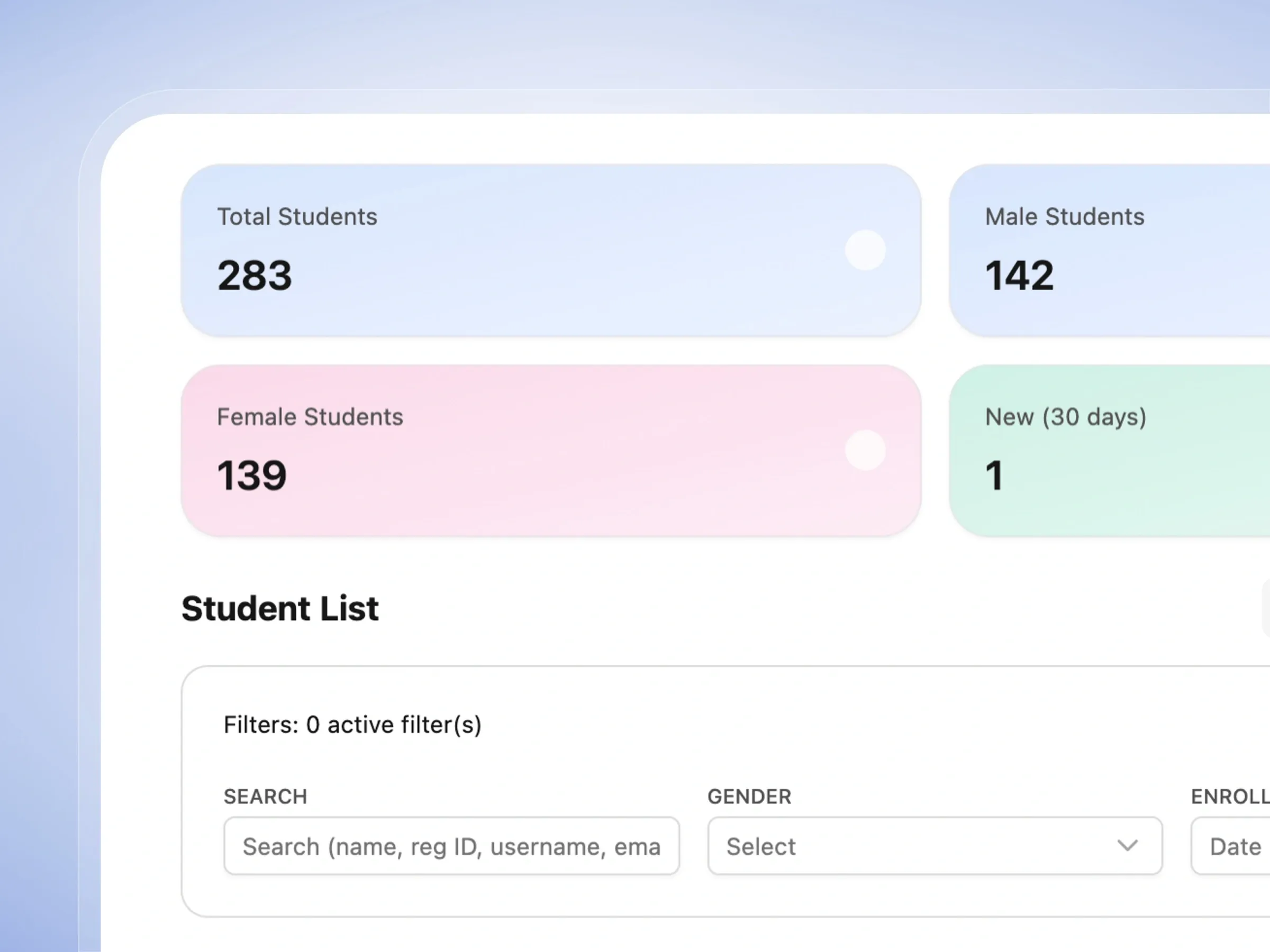
Access your entire student body from one beautiful dashboard. Find exactly who you're looking for in seconds.
- See total student counts and recent enrollments at a glance.
- Quickly search for students by name or registration ID.
- Filter your list by gender or when they joined the school.
- Easily sort and navigate through your entire student database.
New Student Profile
Add a new student in minutes
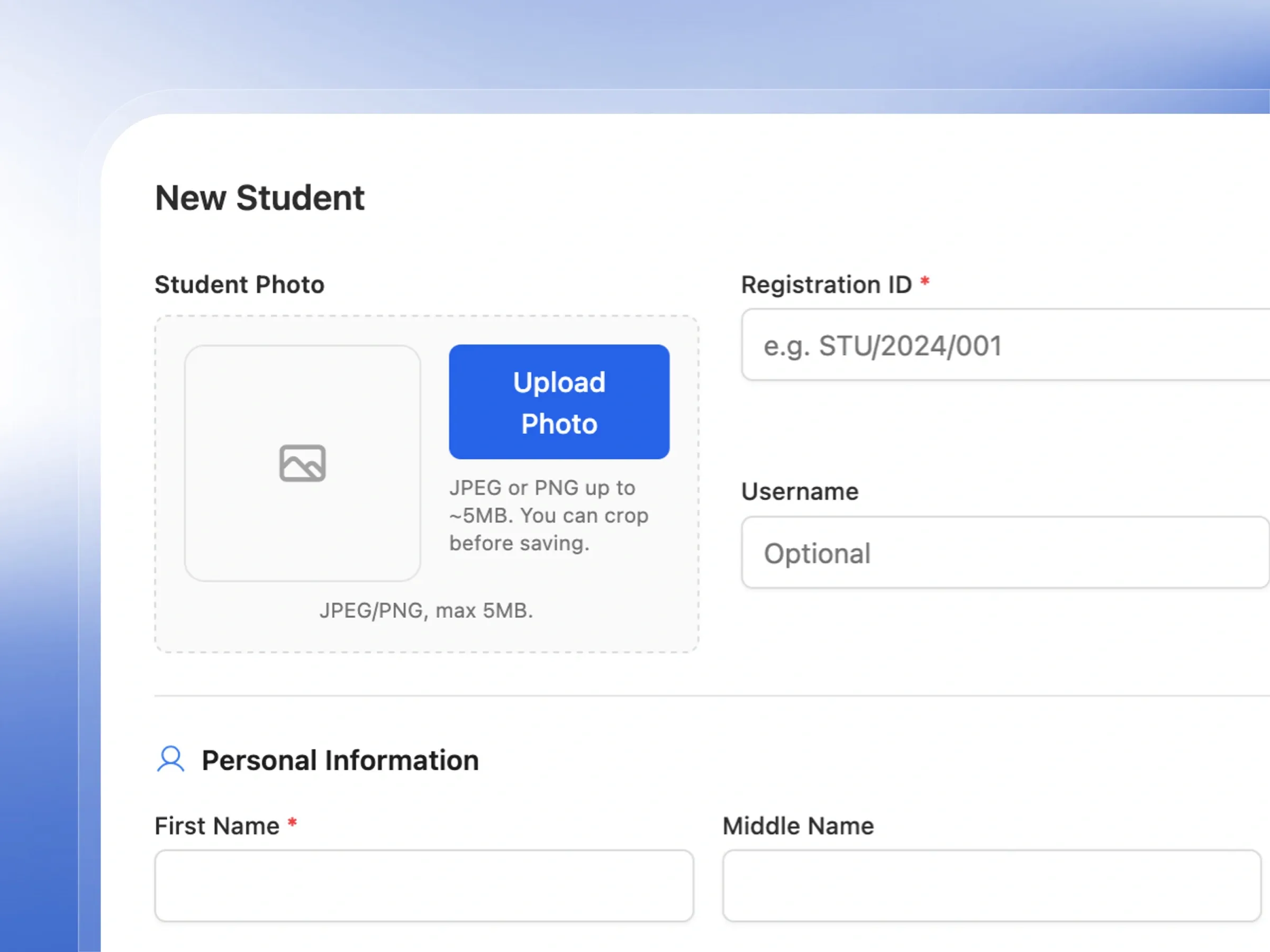
Capture all the important details when a new student joins. Keep their academic and personal information perfectly organized.
- Upload a friendly student photo with an easy cropping tool.
- Capture essential details like name, date of birth, and gender.
- Record their home address and contact information clearly.
- Automatically generate their unique school registration ID.
Bulk Student Import
Import hundreds of students at once
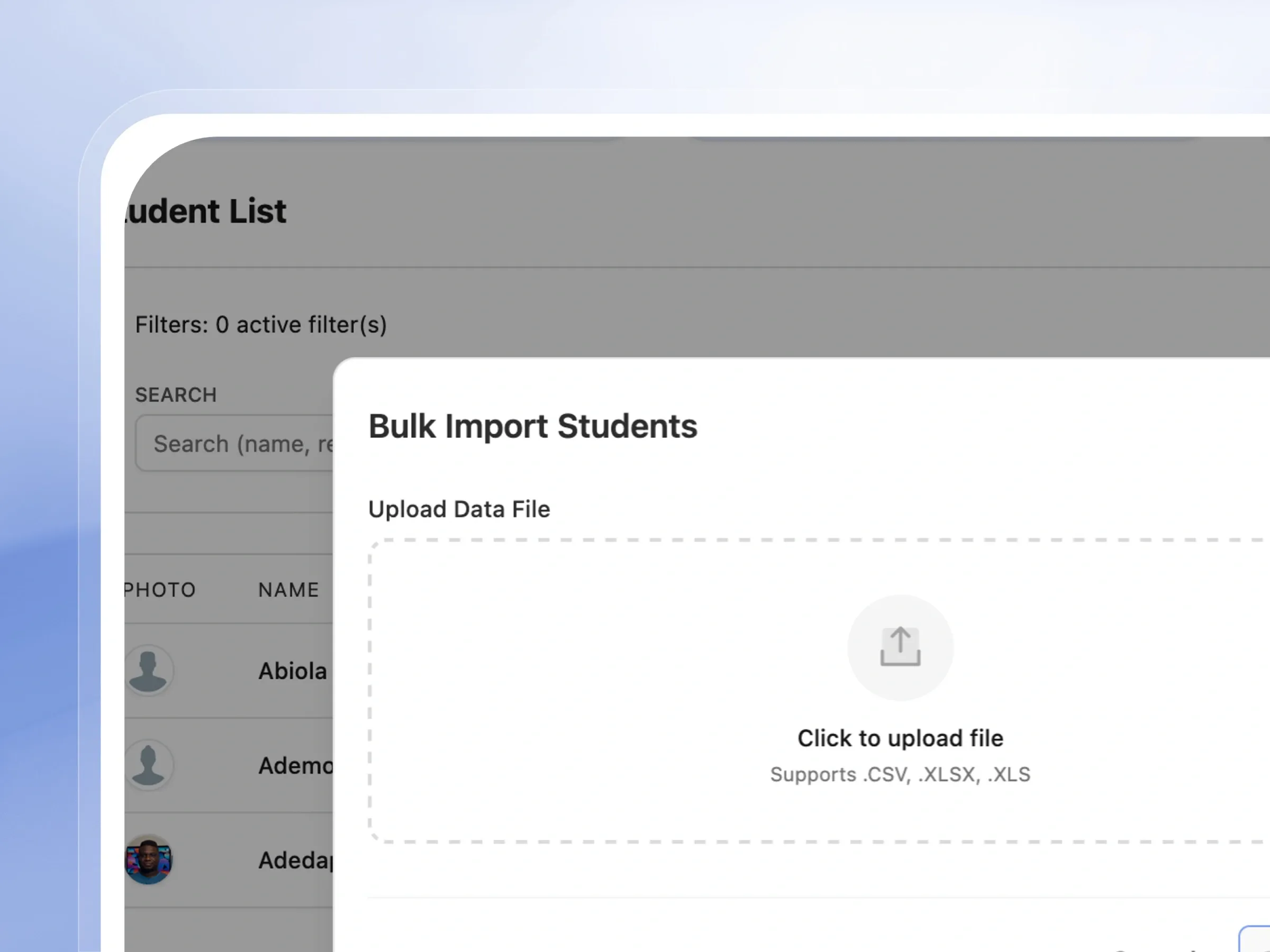
Save hours of typing. Upload a spreadsheet to add hundreds of students and parents to the system instantly.
- Import students and their parents together in one single file.
- Download a simple template to ensure your data is perfect.
- Upload common spreadsheet files effortlessly.
- Add your entire school roster in just a few clicks.
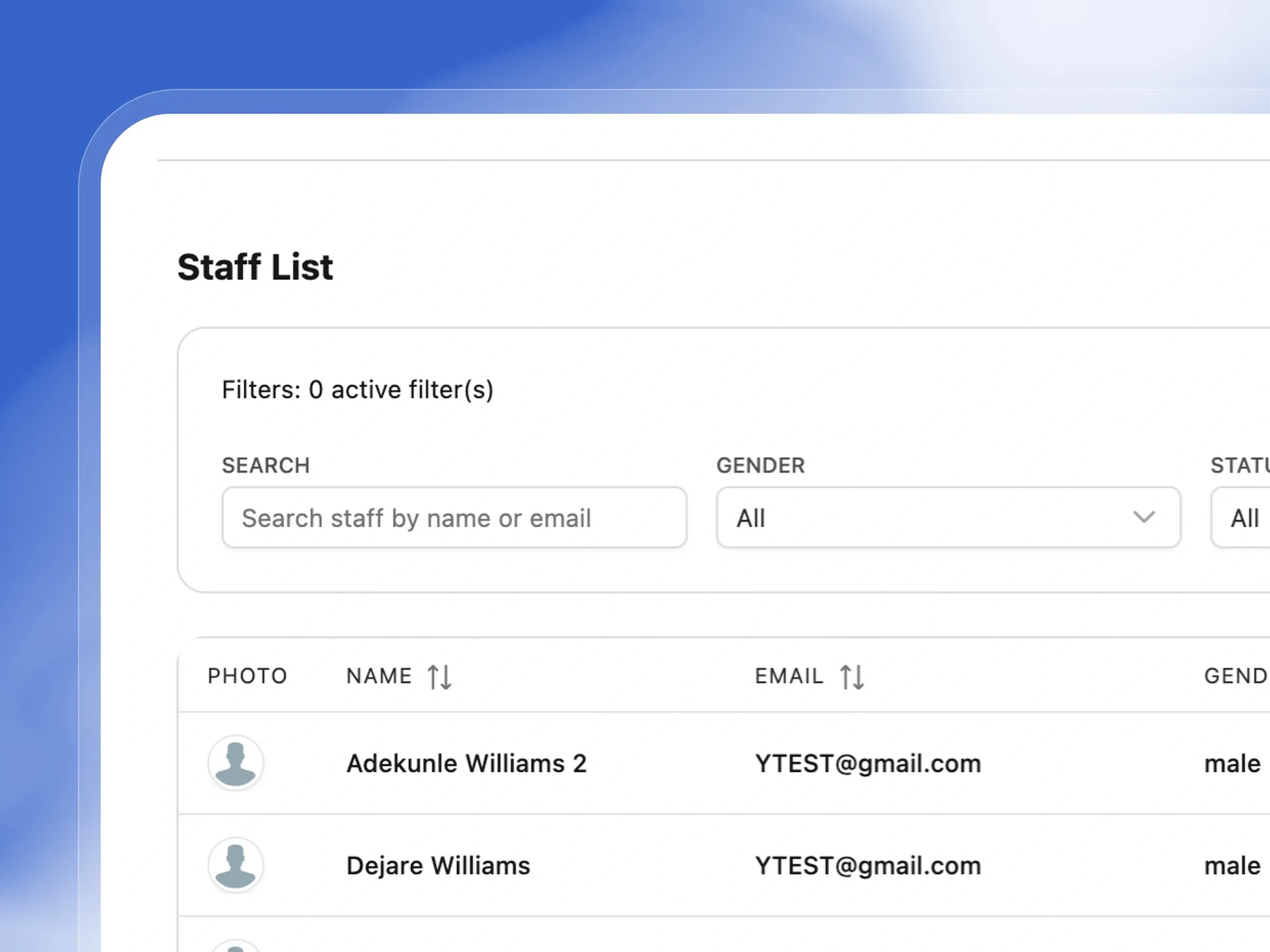
Staff List & Management
Manage your entire staff from one place
Keep your team organized. View and manage all your teachers and administrative staff from a single, clear list.
- Search for staff members quickly by name or email.
- Filter your team by active status to see who is currently working.
- Easily activate or deactivate staff accounts when they join or leave.
- Import your entire staff list at once using a spreadsheet.
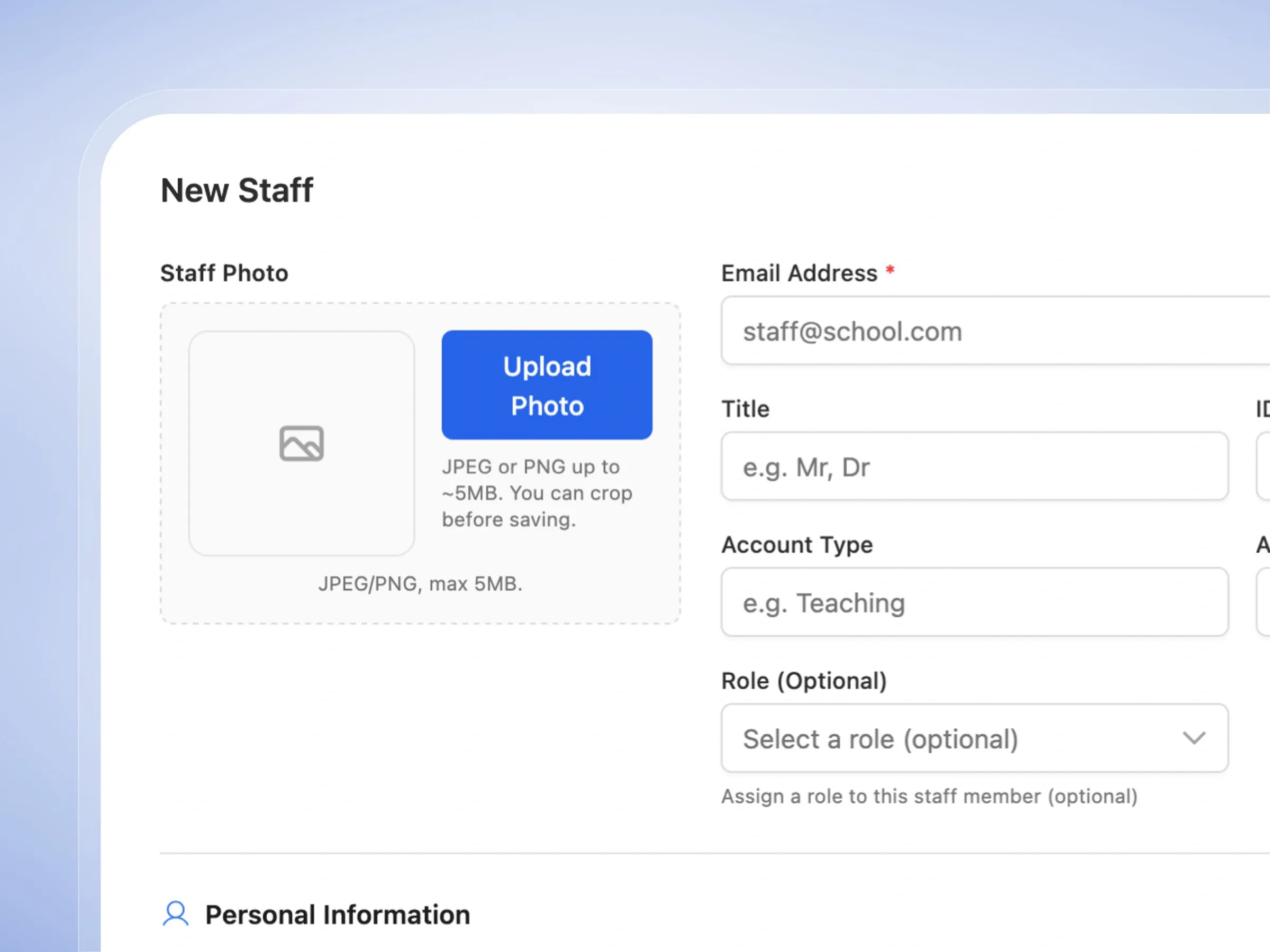
New Staff Profile
Onboard new staff in minutes
Set up new teachers and admins for success. Create detailed profiles with all their contact and professional information.
- Upload a staff photo and assign their official school email.
- Assign them a role, like Teacher or Admin, right from the start.
- Record their personal contact details and residential address.
- Enable helpful security settings like login notifications.
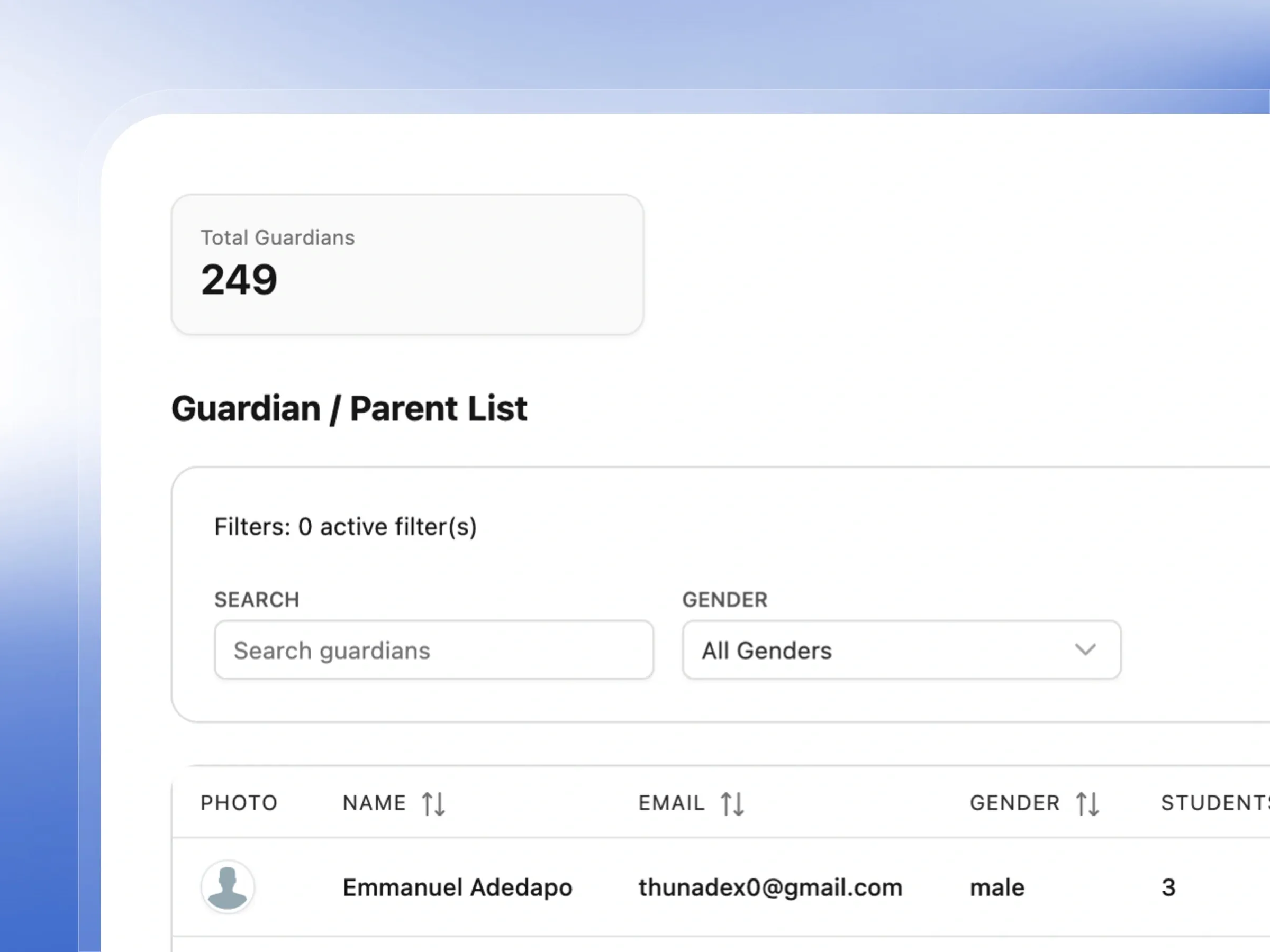
Guardian & Parent Management
Keep every guardian connected and informed
Keep parents in the loop. Maintain a complete, organized list of every family connected to your school.
- See exactly how many students are linked to each guardian.
- Easily search for parents by name to update their details.
- Import hundreds of parent profiles instantly using a spreadsheet.
- View total guardian counts to understand your community size.
New Guardian Profile
Add a guardian, link them to their child
Ensure you always know how to reach a student's family. Create rich profiles with essential contact details.
- Capture primary and alternate phone numbers for emergencies.
- Record their occupation and full residential address.
- Automatically generate a secure password for their portal access.
- Upload a photo to easily recognize parents at pickup time.
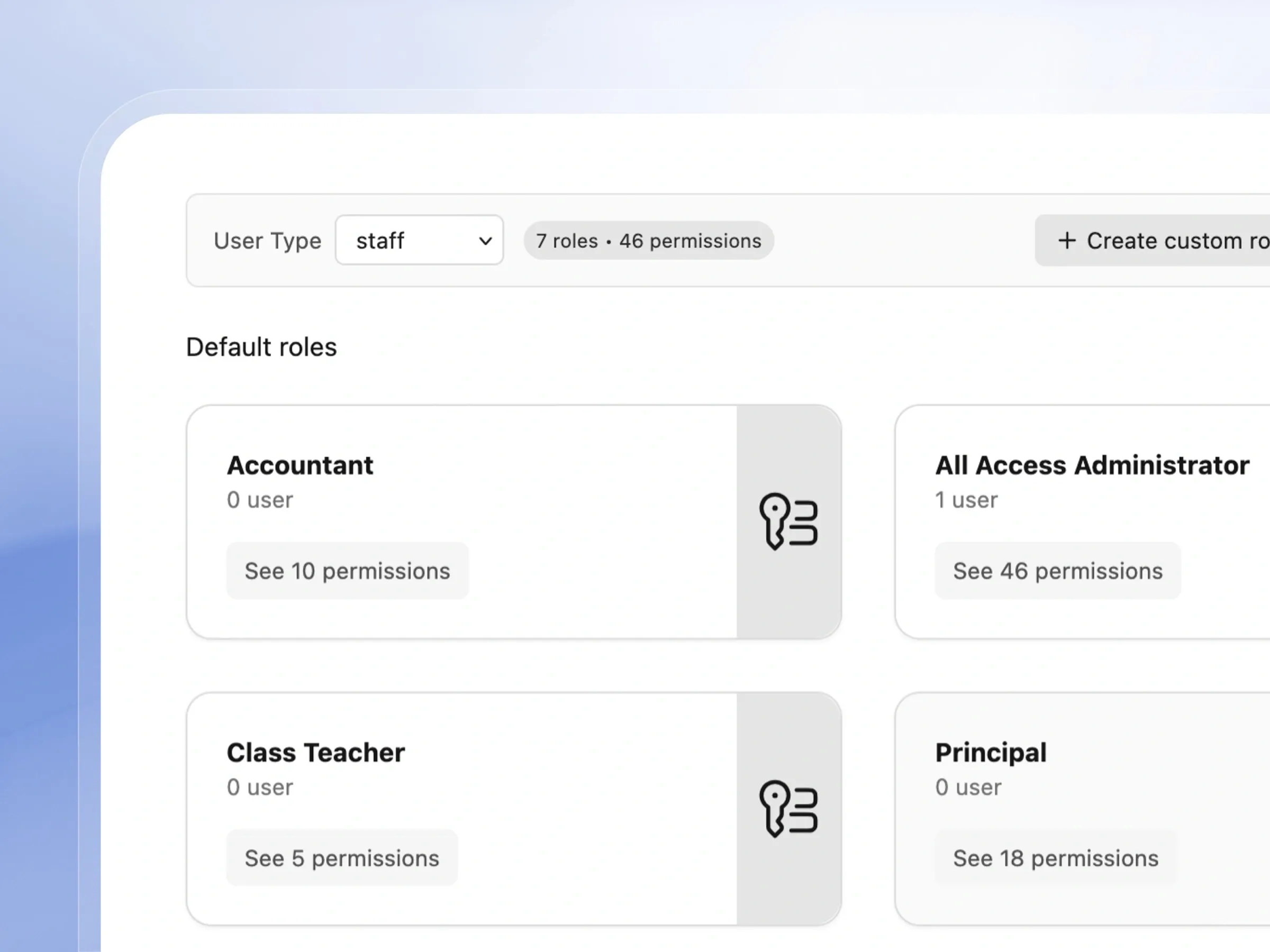
Roles & Permissions
Control exactly who can see and do what
Keep your school's data secure. Control exactly what each staff member can see and do on the platform.
- Use ready-made roles for Teachers, Principals, and Admins.
- Create custom roles tailored to your school's unique jobs.
- Assign or revoke access easily with a few clicks.
- Review exactly what permissions a role has before assigning it.
Centralize Your Entire School Community
Keep student, staff, and guardian records organized, secure, and always up to date
Student Database
Easily manage your entire student body with a searchable, detailed database and instant demographic stats.
Detailed Student Profiles
Maintain comprehensive digital profiles for every student, including personal and residential details.
Bulk Student Import
Save days of data entry by bulk importing hundreds of students and parents instantly via spreadsheets.
Staff List & Search
Keep your teaching and administrative staff organized with a secure, easily filterable staff directory.
Staff Profile with Security Options
Manage comprehensive staff profiles complete with advanced security options like two-factor authentication.
Bulk Staff Import
Onboard your entire teaching staff in minutes using our simple, downloadable bulk import templates.
Guardian & Parent Database
Keep track of every parent and guardian with a detailed database linking them directly to their children.
Guardian Profile
Maintain secure, detailed profiles for every parent to ensure reliable communication and account access.
Bulk Guardian Import
Quickly add all your school's parents to the system at once using our easy bulk import tool.
6 Default Staff Roles
Hit the ground running with six pre-configured staff roles designed specifically for school environments.
Custom Role Creation
Create perfectly tailored staff roles with precise control over exactly what each user can see and do.
Granular Permission Categories
Easily manage complex security access with granular permissions logically grouped by school department.
Assign & Revoke Roles
Instantly assign or revoke staff roles with immediate effect to maintain perfect system security.
Student Photo Upload
Keep profiles looking professional with an easy-to-use photo upload tool featuring built-in cropping.
How Schools Use Femlify's User Management
Real scenarios from Schools
Migrating 280 Students from Excel
Secondary SchoolA school switching from manual records uses Bulk Import to upload all 280 students at once — downloading the official CSV template first to map their existing data. They use 'Import Students with Parents' to link guardian records simultaneously, cutting what would have been weeks of manual data entry down to one afternoon.
Setting Up Staff Access Control
Private SchoolA new school sets up role-based access before the first term. The principal gets School Administrator (36 permissions). The bursar gets Accountant (8 permissions — finance only). Three teachers each get Subject Teacher (3 permissions — score entry only). The class coordinator gets Class Teacher role with attendance and class management permissions.
Linking Parents to Students
Primary SchoolAfter importing students, the registrar adds guardian profiles for each family. Parents can be added individually with full contact details or imported in bulk. Each guardian record shows how many children they have in the school, making it easy to see family groups.
Creating a Custom Role
K12 SchoolA school hires a new Data Entry Officer role not covered by default roles. The admin creates a custom role, names it 'Data Entry Officer', and selects only Enter Assessment Records and Scores Academics permissions. The officer can enter scores but cannot access finance, settings, or reports.
Built for Every Type of Regional School
Whether you have 50 students or 5,000, Femlify's user management scales with you
Primary & Secondary Schools
Manage hundreds of students, dozens of staff, and hundreds of guardian contacts — all searchable and linked together
Schools Migrating from Excel
Bulk import your entire existing student and staff database via CSV or Excel — no manual data entry required
School Administrators
Control who can access what through role-based permissions — give teachers exactly what they need without over-exposing sensitive data
Schools with Complex Staff Structures
Create custom roles beyond the 6 defaults to match your school's unique staff hierarchy and access requirements
Why Schools Choose Femlify for User Management
Femlify's user management isn't just a contact list — it's a fully integrated people system. Students connect to enrollments, invoices, and report cards. Staff connect to subject assignments and timetables. Guardians connect to the parent portal. Roles control access to every feature. Everything is linked.
Everything is Connected
Students link to enrollments and invoices. Staff link to subjects and timetables. Guardians link to the parent portal. Users aren't isolated records.
Bulk Import for Everyone
Import students, staff, and guardians in bulk via CSV or Excel — with official downloadable templates for each
Designed for Regional Schools
your region (+234) as default phone code, State and LGA fields for residence and origin, local name formats supported
Granular Access Control
49 permissions across every platform module — give each staff member exactly the right level of access
See User Management in Action
Watch how a school administrator adds students, sets up staff, and configures role-based access
User Management Powers Every Other Feature
Students, staff, and guardians connect directly to the rest of Femlify
Admissions & Enrollment
Accepted applicants become student records — enrolled students link to class, arm, and stream
Fee Collection
Student records link to invoices — guardian records connect to the parent payment portal
School Setup
Subject teacher assignments link staff to subjects and class levels — student ID format applies to all new students
Frequently Asked Questions
Ready to Manage Your School's People the Right Way?
Join Schools using Femlify to manage students, staff, and parents — with bulk import, role-based access, and profiles that connect to everything.
Related Articles
Learn more from our latest insights
How to Migrate Your Student Database to Femlify
The single question that stops more schools from switching to a better management system than any other is not about price, features, or support. It is this: "What happens to all our data?"
Role-Based Access Control Best Practices for School Administrators
Not every member of your school's staff needs access to the same information. The class teacher who takes daily attendance does not need visibility into the school's financial records. The bursar processing fee payments does not need to see individual student academic scores. The proprietor overseeing the school's overall performance does not need to be creating individual invoices. When a school moves its operations onto a management platform, one of the most important — and most overlooked — decisions is who gets access to what. Many schools make the same mistake: they give every staff member administrator-level access because it is "easier." The result is financial records visible to class teachers, student personal data accessible to support staff, and no clear audit trail when something goes wrong.