Set Up Your School Exactly the Way You Run It
Configure your branding, academic structure, grading systems, subjects, and more — Femlify adapts to your school, not the other way around.
The Challenge & Solution
Generic school software forces you to work within rigid, one-size-fits-all structures. Femlify is different — every setting from your grading scale to your student ID format to your subject teacher assignments is fully configurable to match how your school actually operates.
Everything You Can Customize
Complete control over your school's identity, structure, and academic configuration
School Branding
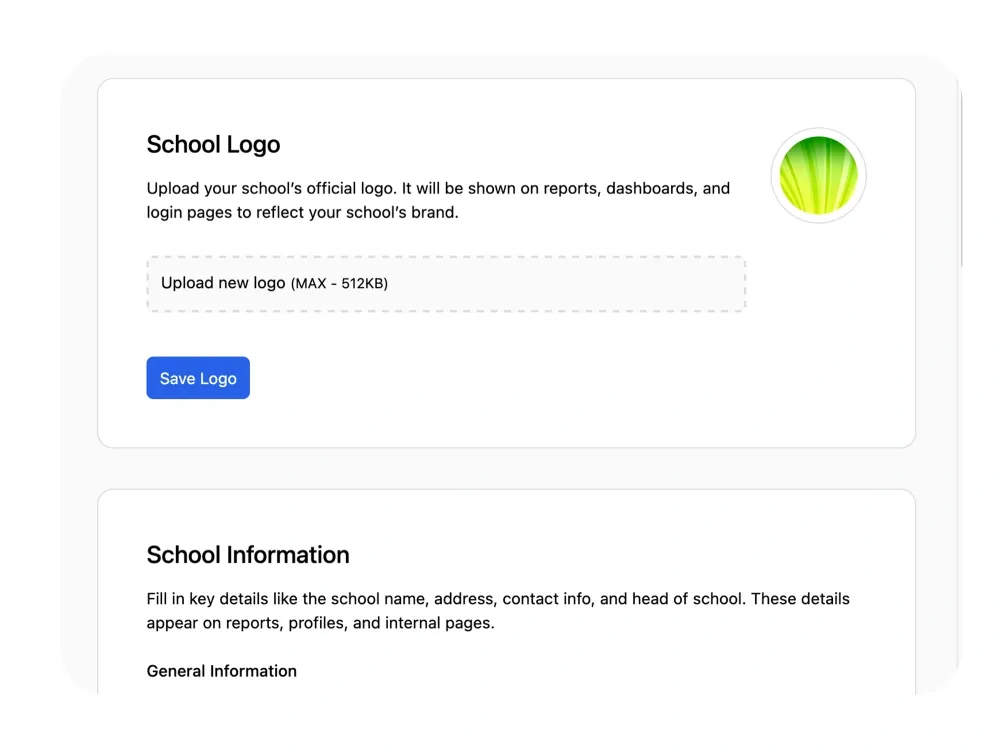
Upload your school logo (shown on dashboards, reports, and login pages), set a login page cover image, and configure your primary and secondary brand colors using a hex color picker or predefined palette.
School Information
Set your school name, website, head of school, address, contact email, and phone number. These details appear across reports, profiles, invoices, and internal pages automatically.
Academic Sessions & Terms
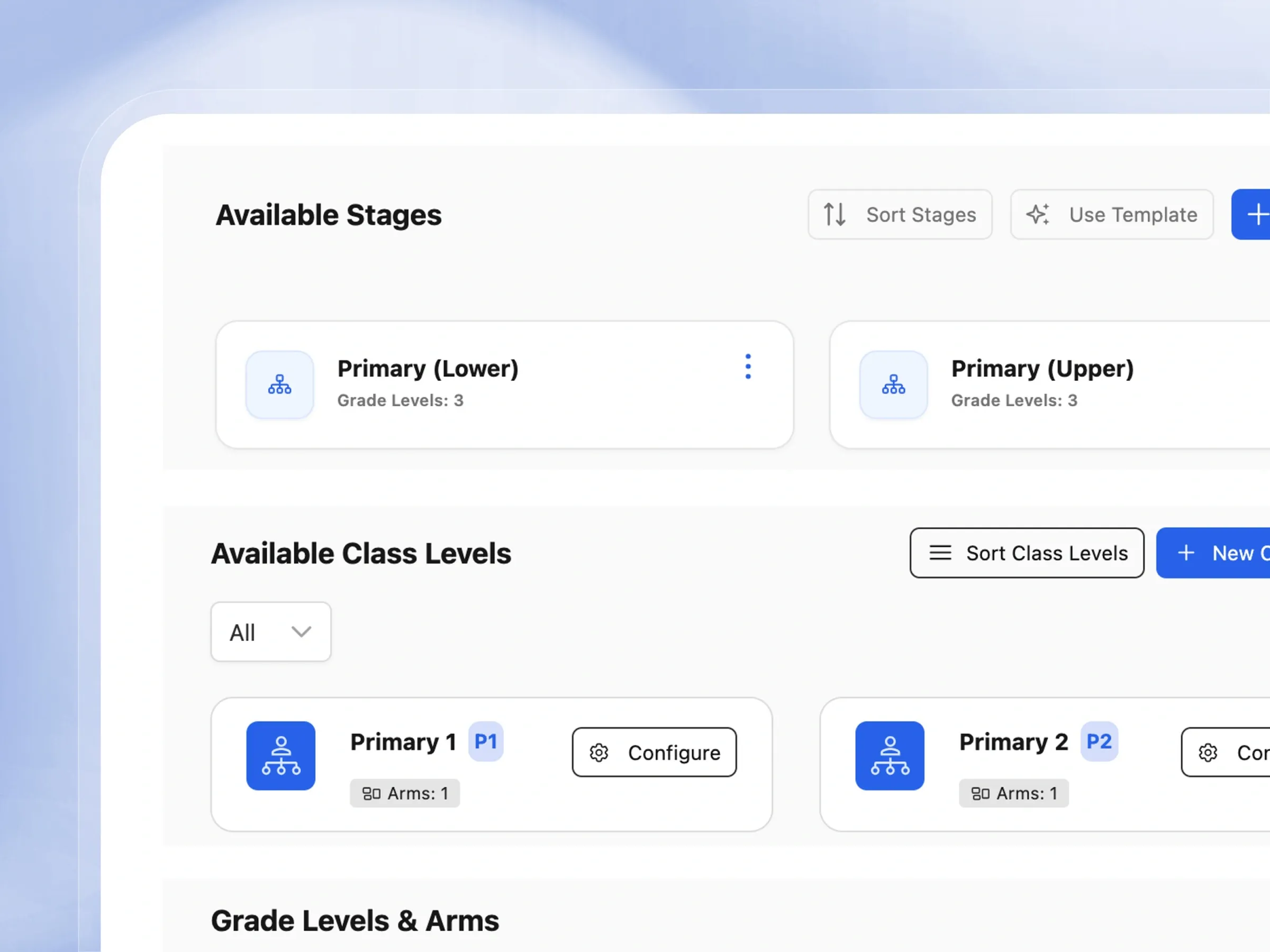
Create academic sessions (e.g. 2025/2026) with start/end dates and configure up to three terms per session. Set the current term, add term dates, configure per-class assessment policies, manage term subject offerings, student enrollments, student subject registrations, and subscription per term.
Academic Structure
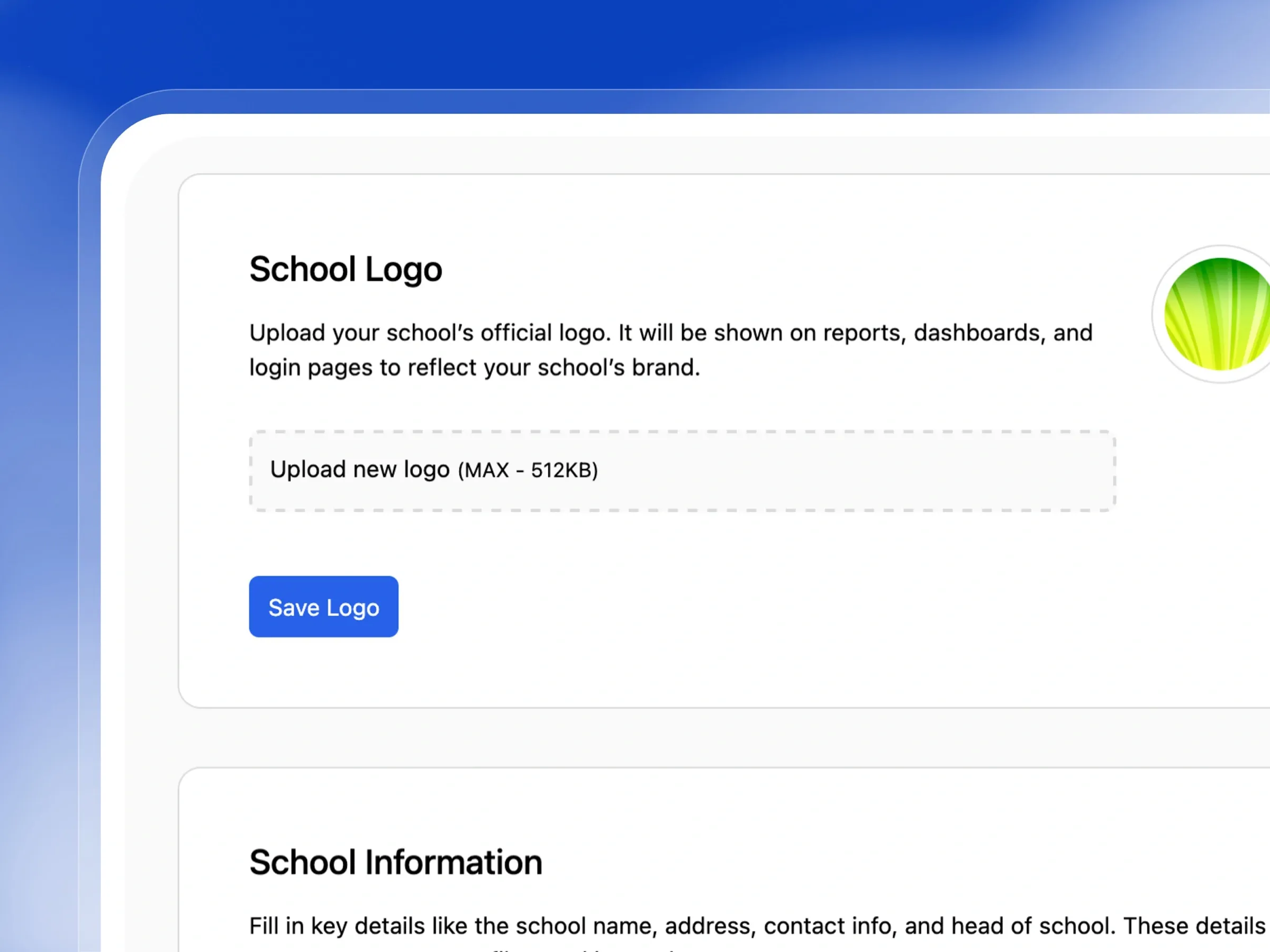
Define your school's stages (Primary Lower, Primary Upper, Junior Secondary, Senior Secondary), class levels (P1–P6, JSS1–JSS3, SSS1–SSS3), arms (A, B, C), and streams (Science, Arts, Commerce).
Grading Systems
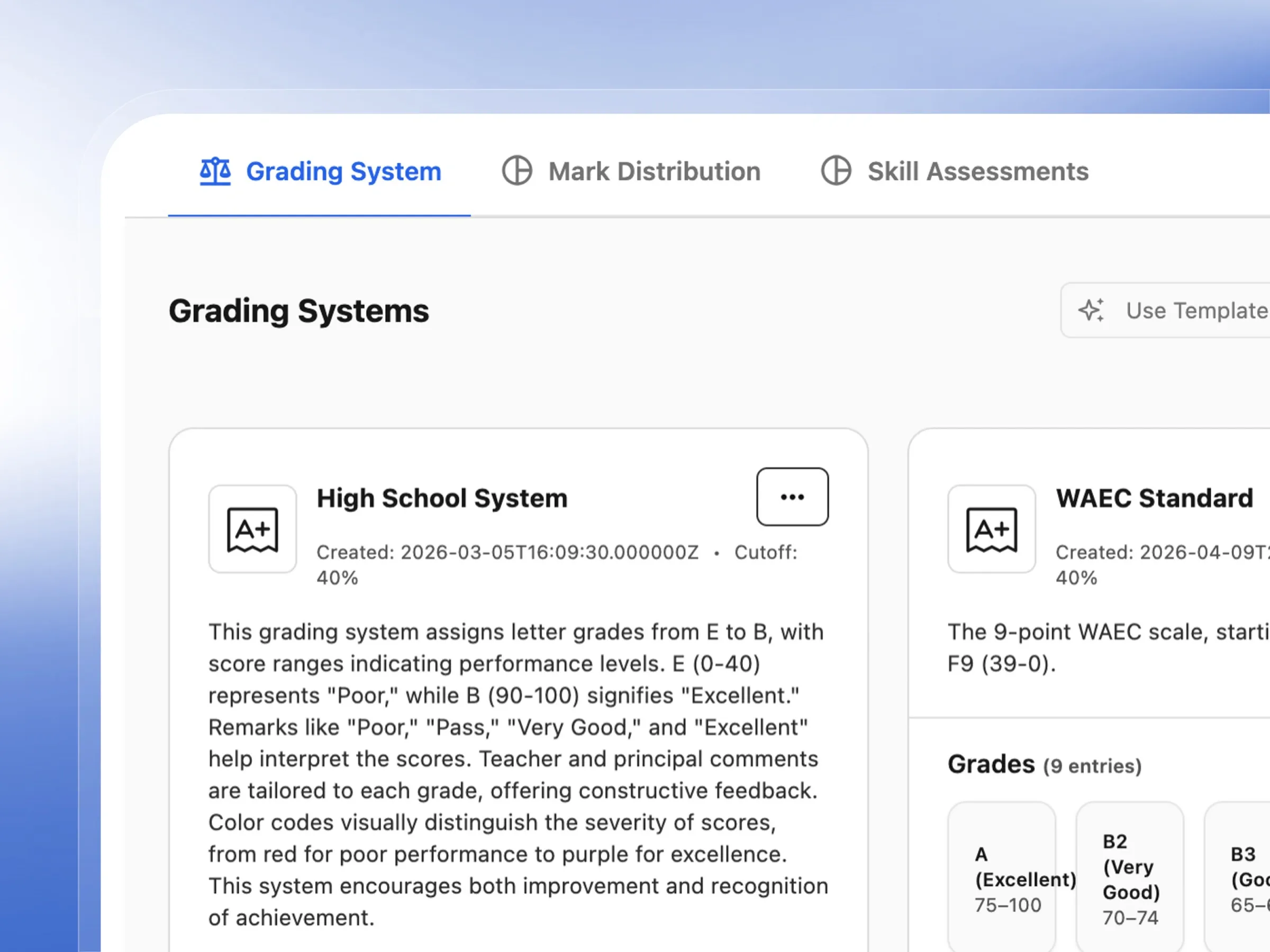
Create custom grading systems or pick from built-in Regional templates — National Examinations Standard, BECE (Junior National Examinations), Standard Secondary System, and Standard K12. Each system has configurable grade bands, cutoffs, and remarks.
Mark Distributions
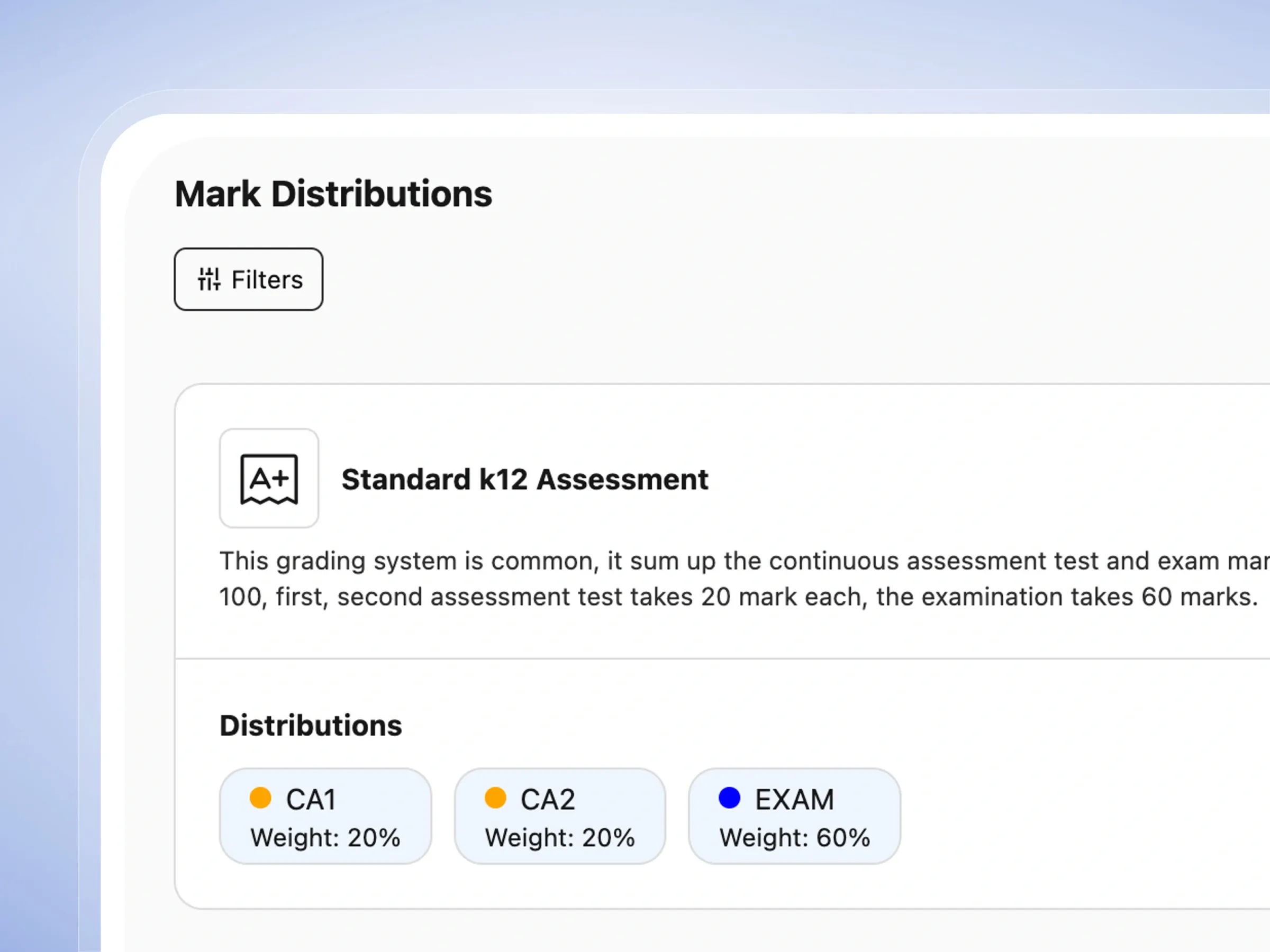
Configure how scores are distributed across CA1, CA2, and Exam. Choose from templates like Standard K12 Assessment (CA1:20, CA2:20, Exam:60) or create custom distributions with any weighting.
Subjects Management
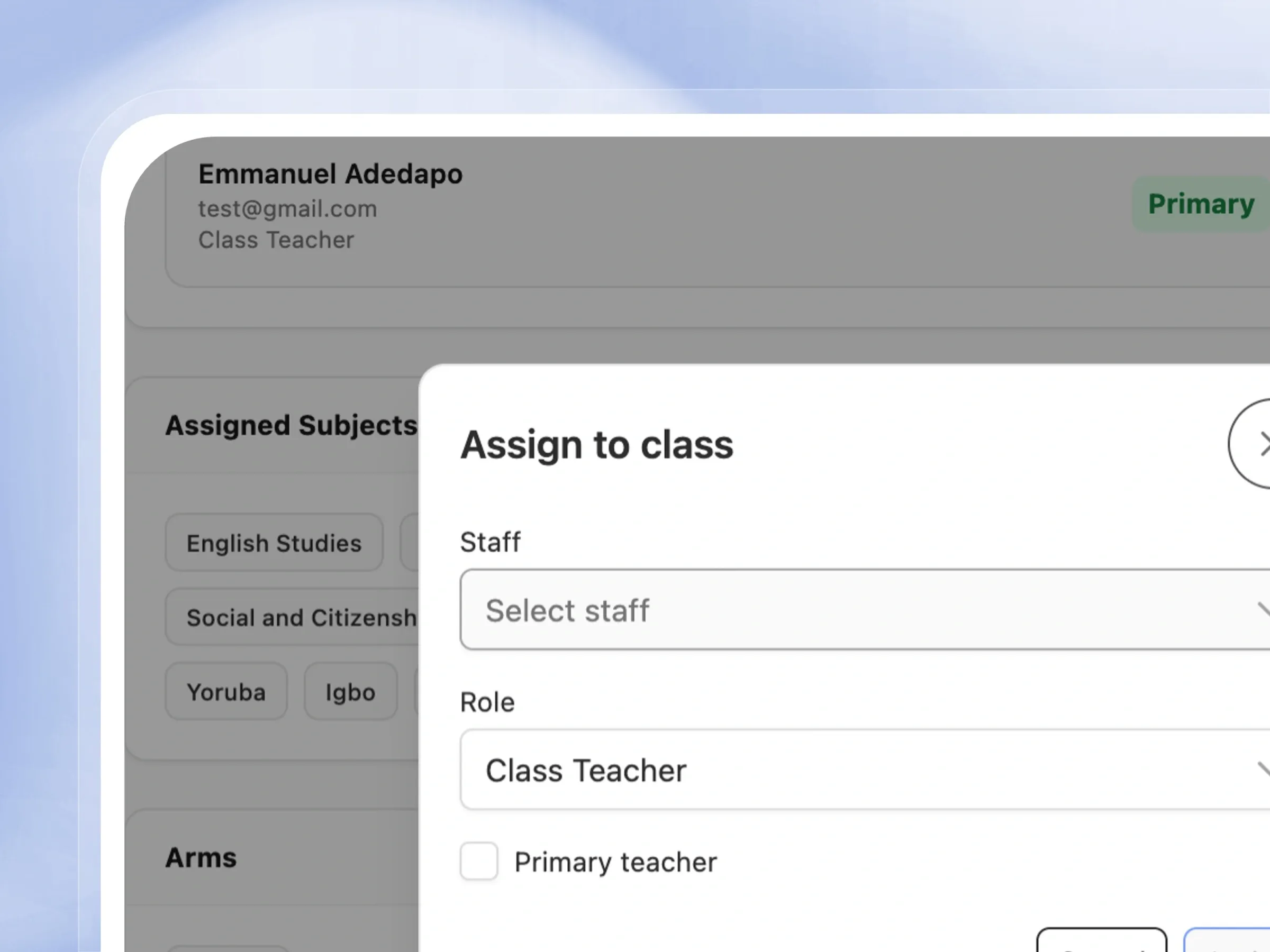
Add school subjects or use pre-loaded Regional curriculum templates. Assign subjects to specific class levels, create subject groups (Science Stream, Core & Compulsory, Foreign Languages), and assign teachers per subject per class.
Skill Assessment Setup
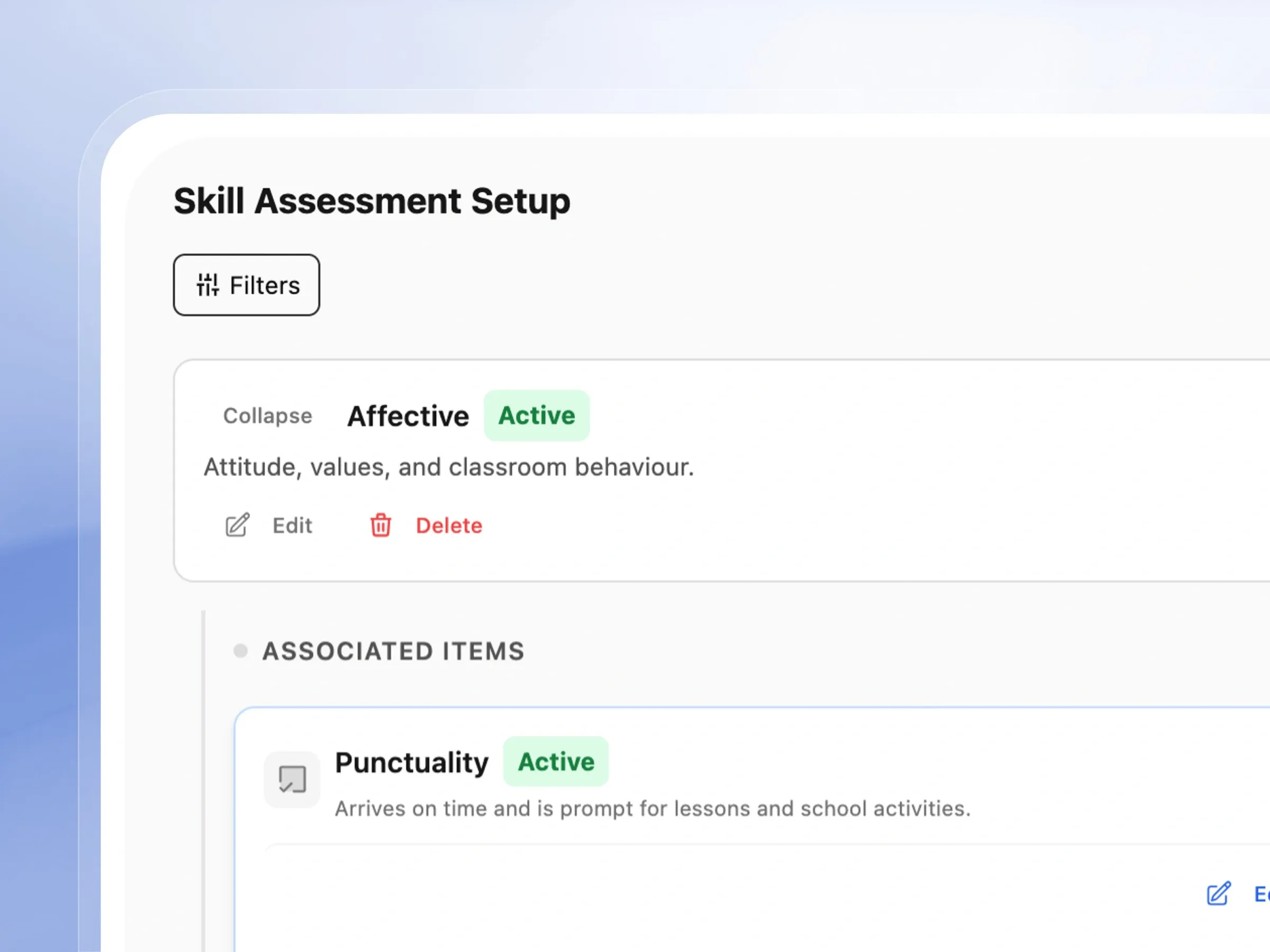
Define skill assessment domains (Affective, Psychomotor) and their associated items (Punctuality, Attention, Teamwork, Handwriting, Practical). These appear on student report cards with teacher ratings.
Student Registration ID Format
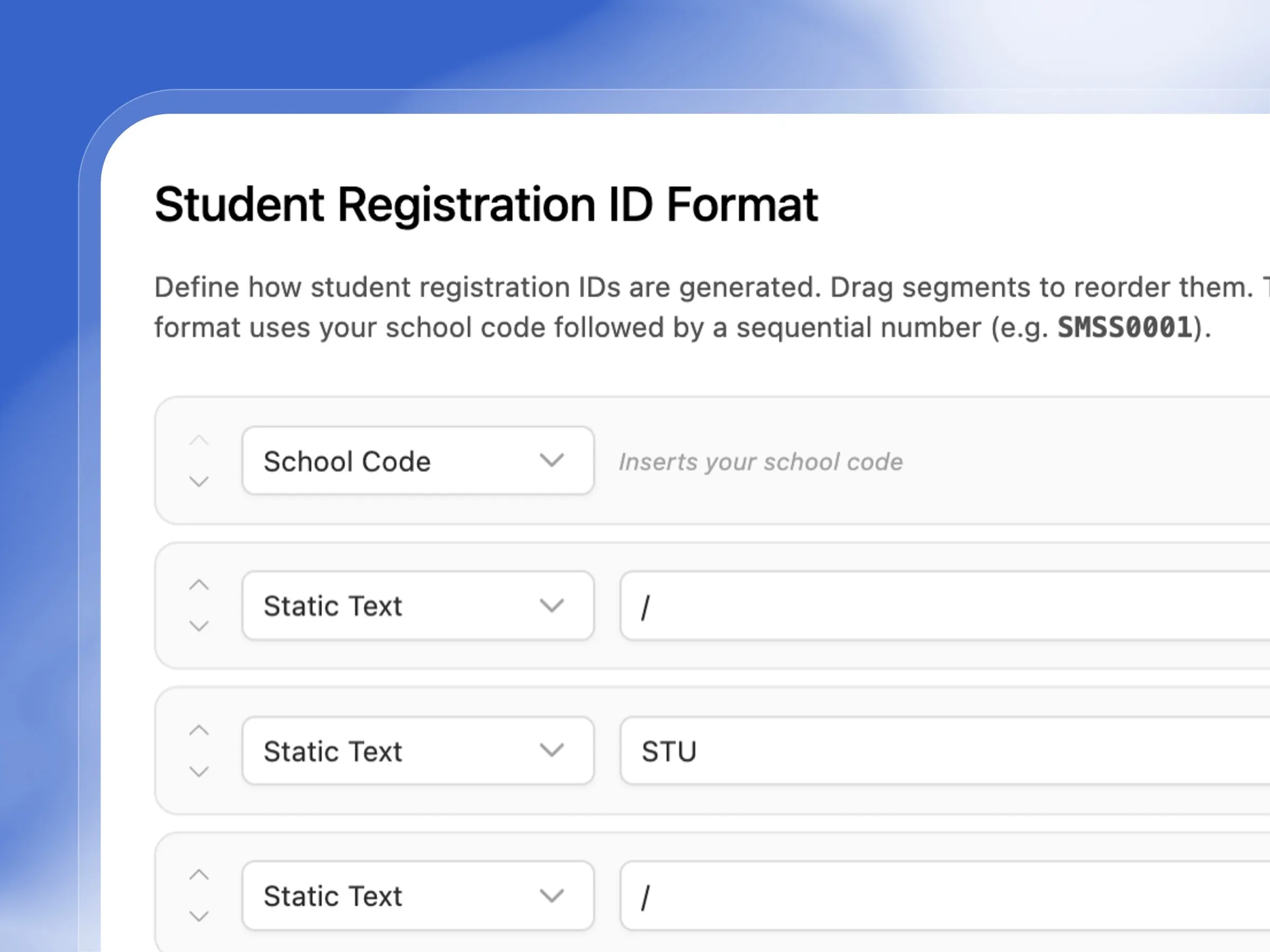
Define how student registration IDs are generated using a drag-and-drop segment builder. Combine school code, static text, year, and sequential numbers into any format (e.g. EA/STU/2026/001).
Domains & Homepage
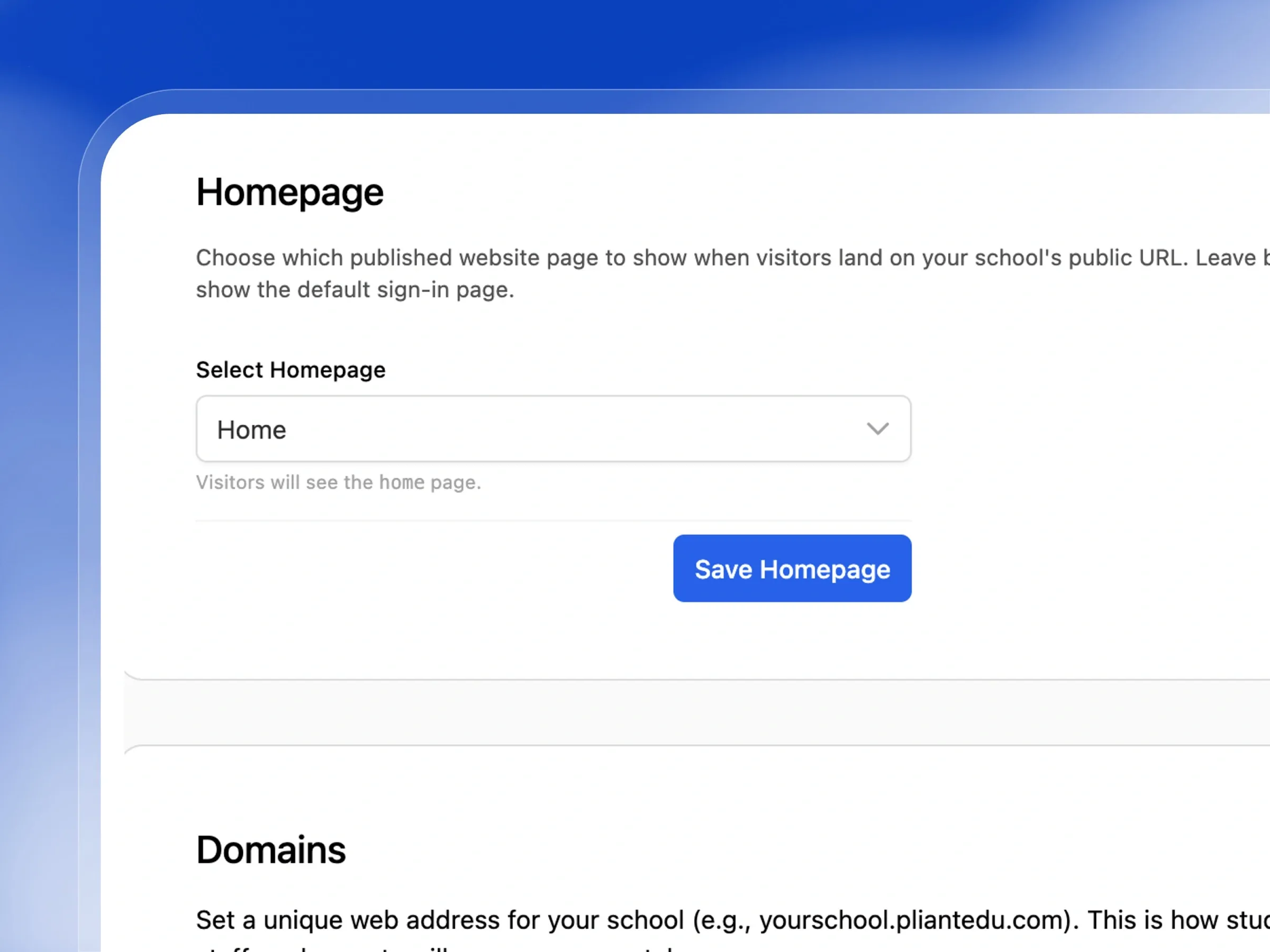
Set a unique subdomain for your school's public portal (e.g. yourschool.femlify.com), choose which published page visitors land on, and manage active domain configurations.
Class Timetable
Build weekly class timetables per class level and arm. Set day, start time, end time, subject, teacher, and room for each timetable slot. Filter by term, class, and arm.
Built to adapt perfectly to your school's unique identity
From branding elements to custom academic structures, see how our platform molds to fit your exact needs.
School Branding & Identity
Make Femlify look like your school
Make the platform feel like home. Customize the look and feel with your school's unique logo and signature colors.
- Upload your school's logo to appear on reports and dashboards.
- Add a welcoming cover image to your community login page.
- Pick your school's exact primary and secondary brand colors.
- Watch your custom colors automatically theme the entire platform.
Academic Structure
Stages, Class Levels & Arms — Structure your school exactly as it runs
Build your school's unique hierarchy. Easily organize your classes from nursery all the way up to senior secondary.
- Group your classes logically into primary or secondary stages.
- Create specific grade levels with easy-to-read short codes.
- Split larger grades into parallel arms or sections.
- Define special academic streams like Science or Arts.
Academic Sessions & Terms
Set your calendar once, every term follows
Set up your academic calendar perfectly. Define the school year and manage the transition between terms effortlessly.
- Create academic years with clear start and end dates.
- Break your year down into first, second, and third terms.
- Set the active term so the whole platform stays perfectly synced.
- Define the final term for accurate end-of-year calculations.
Term Configuration
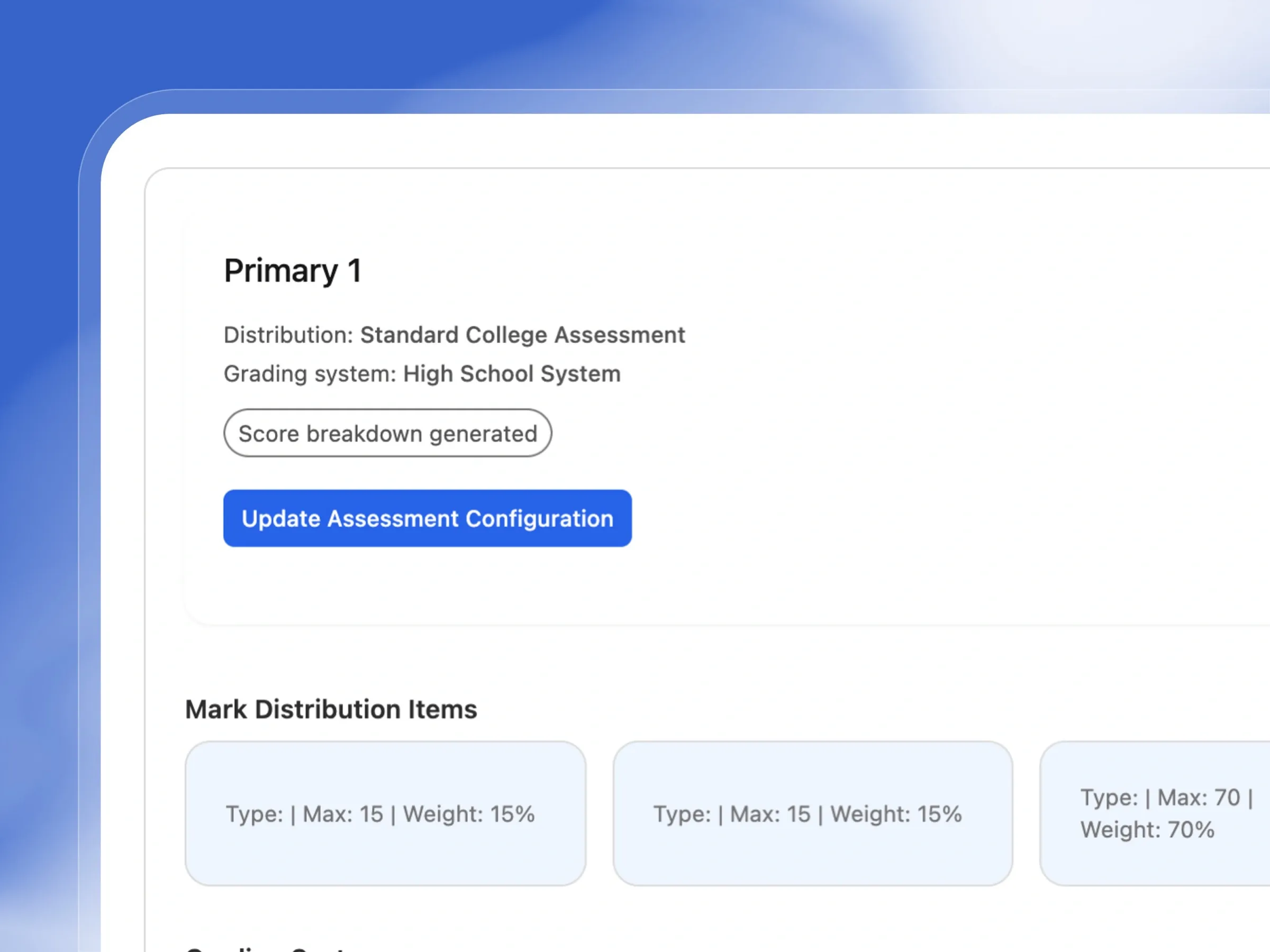
Assessment Policy & Subject Offerings — Configure each term's rules in advance
Prepare everything before the term begins. Set up subjects, enroll students, and define exactly how grading will work.
- Assign specific grading policies to different class levels.
- Choose exactly which subjects will be taught this term.
- Easily move students into their new classes for the term.
- Review all your settings before making the new term active.
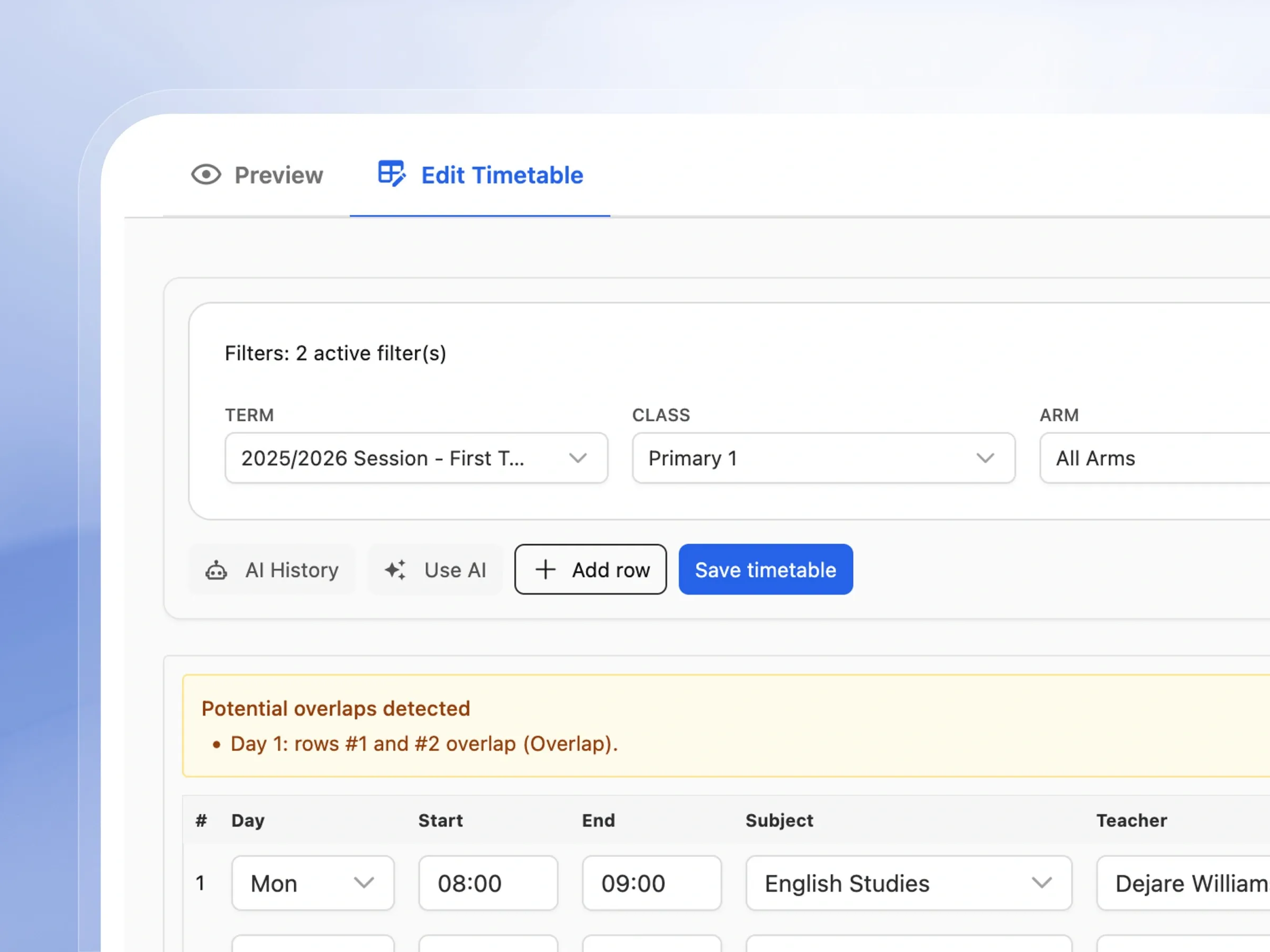
Class Timetable
Build a timetable that fits your school
Keep everyone on schedule. Create visual, easy-to-read weekly timetables for every class and share them instantly.
- Assign subjects and teachers to specific time slots easily.
- Include room numbers so students know exactly where to go.
- Easily turn specific classes on or off if schedules change.
- Save and update the entire weekly schedule in one click.
Grading Systems
Grade exactly the way your school grades
Grade exactly the way your school prefers. Set up custom grading scales or use standard regional templates.
- Use ready-made grading templates for national exams.
- Create custom grading scales with your own letter grades.
- Define the exact score ranges and remarks for each grade.
- Use different grading systems for junior and senior classes.
Mark Distributions
Define how scores are weighted, your way
Decide how scores are calculated. Set the perfect balance between continuous assessments and final exams.
- Set up standard splits like 40% assignments, 60% exams.
- Create unique grading weights tailored to your school.
- Apply your scoring rules across all subjects automatically.
- Load pre-built distribution templates to save time.
Subjects
School, Class & Teacher Assignment — Assign subjects to the right classes and teachers
Organize your curriculum beautifully. Manage all your subjects and assign the right teachers to the right classes.
- Load standard regional subjects instantly to save typing.
- Assign specific subjects to their appropriate grade levels.
- Group subjects into categories like Sciences or Languages.
- Assign teachers to their classes quickly and easily.
Skill Assessment Setup
Set up the skills you actually want to track
Track more than just test scores. Define the behavioral and practical skills you want teachers to evaluate on report cards.
- Set up categories for behavior, teamwork, and respect.
- Add practical skills like sports, handwriting, and arts.
- Decide exactly what order these skills appear on reports.
- Easily update or hide skills as your curriculum changes.
Student Registration ID Format
IDs generated exactly how your school formats them
Keep your student records perfectly organized. Create a custom ID format that automatically generates for every new student.
- Build your custom ID format using a simple drag-and-drop tool.
- Include your unique school code or the current academic year.
- Automatically assign the next sequential number to new students.
- See exactly what the ID will look like before you save it.
Domains & Public Homepage
Give your school its own home on the web
Give your school a professional online home. Set up a custom web address and decide what visitors see first.
- Set up a dedicated, professional web address for your school.
- Choose any published page to act as your main homepage.
- Easily turn your public portal on or off when needed.
- Ensure visitors always get a great first impression of your school.
Enjoy Total Control Over School Customization
Configure grading systems, curriculum, and settings exactly how your school operates
School Logo Upload
Showcase your school's unique identity by uploading your official logo to all dashboards and reports.
Login Page Cover Image
Create a welcoming first impression with a personalized, high-quality cover image for your login screen.
Brand Colors
Apply your school's brand colors across the entire platform for a consistent, professional look.
School Information
Keep your core school information up to date so parents and staff always have the right contact details.
Stages & Class Levels
Easily structure your school's academic hierarchy and class levels perfectly tailored to your system.
Arms & Streams
Organize large classes efficiently by adding specific arms and academic streams like Science or Arts.
Grading Systems
Use built-in regional grading templates or create a completely custom grading system for your school.
Mark Distributions
Flexibly define exactly how continuous assessments and exams are weighted in your final grades.
School Subjects
Quickly set up your curriculum by adding subjects manually or using our comprehensive regional templates.
Class Subject Assignments
Ensure every class is learning the right material by assigning specific subjects to each grade level.
Subject Groups
Keep your curriculum organized by grouping subjects into categories like Core, Science, or Business.
Subject Teacher Assignments
Clearly define your teaching roster by assigning specific teachers to subjects across every class level.
Skill Assessment Domains
Design custom skill assessments for report cards to evaluate student behavior and practical abilities.
Student Registration ID Format
Create a unique, automated student ID generation format perfectly matched to your school's conventions.
School Domain
Establish a strong online presence with a custom web domain or dedicated subdomain for your school.
Public Homepage
Control exactly what prospective parents see first when they visit your school's official website.
Academic Sessions
Easily manage multi-term academic sessions with clear start dates and seamless cumulative reporting.
Academic Terms
Configure up to three detailed academic terms per session, each with its own unique dates and settings.
Per-Class Assessment Policy
Maintain consistent academic standards by applying unified grading policies across all class levels.
Term Subject Offerings
Quickly activate or deactivate subjects for specific class levels with just a single click.
Student Enrollments per Term
Smoothly transition students into new terms while keeping a close eye on your class headcounts.
Student Subject Registration
Accurately manage and track individual student subject registrations for every academic term.
Arms Configuration
Keep your grade levels organized by creating custom named arms like 'Red', 'Blue', or 'A' and 'B'.
Streams per Class Level
Effectively manage senior secondary curriculums by assigning distinct streams like Humanities or Science.
Class Timetable
Build comprehensive weekly class timetables specifying subjects, teachers, and rooms for every slot.
How Schools Use Femlify's Setup Features
Real configuration scenarios from schools across your region
Setting Up a Full K12 School
K12 Secondary SchoolA new secondary school uses the 'Use Template' feature to load the standard Regional K12 structure in seconds — Primary Lower, Primary Upper, Junior Secondary, and Senior Secondary stages with all 12 class levels, arms, and the National Examinations grading template. What would take days manually is done in under 10 minutes.
Configuring National Examinations Grading
Senior Secondary SchoolA senior secondary school loads the National Examinations Standard grading template — a 9-point scale from A (75-100) down to F9 (39-0) — and pairs it with the Standard K12 mark distribution (CA1 20%, CA2 20%, Exam 60%). All subject scores on report cards now compute automatically using these settings.
Assigning Subjects and Teachers
Primary SchoolA primary school loads the Regional curriculum subject template, assigns subjects to each class level from Primary 1 to Primary 6, then uses Bulk Assign to assign their 15 subject teachers across all classes in one action. The Subject Teacher Assignments view shows exactly which teacher covers which subject in which class.
Branding for Parent Portal
Private SchoolA private school uploads their logo, sets their brand colors (green #007A6F primary, yellow #F5E216 secondary), and uploads a professional photo for the login page cover. Every parent who logs into the portal sees the school's branded identity — not a generic interface.
Starting a New Academic Term
Secondary SchoolAt the beginning of a new term, the school administrator creates the term dates, configures the assessment policy for each class level (selecting Standard K12 mark distribution and High School grading system for secondary classes), generates term subject offerings, enrolls students, and finalizes the term. The platform is ready for teachers to record scores immediately after activation.
Built for Every Type of Regional School
Whether you're setting up for the first time or migrating from another system
New Schools Getting Started
Use templates to load your academic structure, Regional curriculum subjects, and grading systems in under 10 minutes — then configure your first academic term and timetable before the first lesson
Established Private Schools
Fully customize branding, grading systems, and subject structures to match your existing academic policies and school identity
School Administrators & Proprietors
Control every aspect of how Femlify represents your school — from the login page to report card grading scales — without needing technical help
Multi-Level Schools (K12)
Configure separate grading systems for primary and secondary levels, manage streams for senior secondary, and assign teachers precisely per subject and class
Why Schools Choose Femlify for Setup
Most school management software gives you a rigid, pre-configured structure that you have to adapt to. Femlify is designed around the reality of Schools — multiple stages, streams, Regional grading scales, local curriculum subjects, and the need to manage everything without a developer or IT team.
Regional Curriculum First
Pre-loaded with National Examinations, BECE, K12 grading templates and Regional curriculum subjects — ready to use from day one
Templates for Everything
Use Template buttons throughout setup — load your full academic structure, subjects, grading, and mark distributions in minutes
Settings Flow Everywhere
Grading systems flow to report cards, branding flows to the portal, subjects flow to class schedules — configure once, reflected everywhere
No Developer Needed
Every configuration is done through intuitive settings pages — no code, no CSV uploads, no IT department required
See School Setup in Action
Watch how a school administrator sets up a complete school from scratch in under 15 minutes
School Customization Connects Well With These Features
School Customization connects directly into the rest of Femlify
Assessment & Reports
Grading systems, mark distributions, and skill assessments flow directly into student report cards
User Management
Class levels, arms, streams, and registration ID format apply to every enrolled student
Fee Payment Collection
Class levels and stages defined in setup are used to scope fee schedules and generate invoices
Frequently Asked Questions
Ready to Set Up Your School the Right Way?
Join Schools already using Femlify — configure your branding, academic structure, grading, and subjects in under 15 minutes.
Related Articles
Learn more from our latest insights

How to Set Up a Secondary School on Femlify in 15 Minutes
One of the most persistent myths about school management software is that it takes weeks to implement. IT consultants. Training sessions. Data migration projects. A full term of parallel running before the old system is retired. For a school proprietor or administrator, this narrative is exhausting before the first click.
WAEC vs BECE vs K12: Which Grading System Should Your School Use?
Walk into almost any secondary school in West Africa and ask the academic coordinator which grading system the school uses. Nine times out of ten, you will hear "we use WAEC." Ask them to write out the full grading scale and what happens at the cutoff percentage, and the room goes quiet. The truth is that many schools configure their grading by copying what they have always done — or what the school down the road does — without a clear understanding of what each grading system means, who it is designed for, or what it communicates to students, parents, and external stakeholders.